
If you want to watch live TV, films, series and sports through your Amazon Fire TV Stick, choosing the right IPTV player for Firestick UK can make a huge difference. The right player can give you a smoother interface, better playlist management and useful features such as subtitles, favourites and electronic programme guides (EPG).
However, beginners often find IPTV confusing because there are dozens of apps available, and not every application works in the same way. In this guide, we explain what an IPTV player is, how it works on Firestick, which features to look for, how to set one up and how to avoid common problems.
Important: An IPTV player is normally just a media player. You need a legitimate IPTV service or compatible content source to provide the channels and programmes.
What Is an IPTV Player for Firestick UK?
An IPTV player for Firestick UK is an application that allows your Fire TV Stick to display streaming content supplied through an IPTV service or playlist.
Unlike traditional television, IPTV delivers television content through an internet connection rather than through a conventional satellite, aerial or cable signal.
The player itself usually does not provide channels. Instead, it acts as the interface between your Firestick and your IPTV content source.
Depending on the application, you may be able to use:
- M3U playlists
- Xtream Codes API credentials
- Electronic Programme Guides (EPG)
- Live TV playlists
- Video-on-demand libraries
- Series and films
- Catch-up content
- Favourites and categories
This distinction is important. Installing an IPTV player does not automatically give you access to television channels.
Why Use IPTV on an Amazon Firestick?
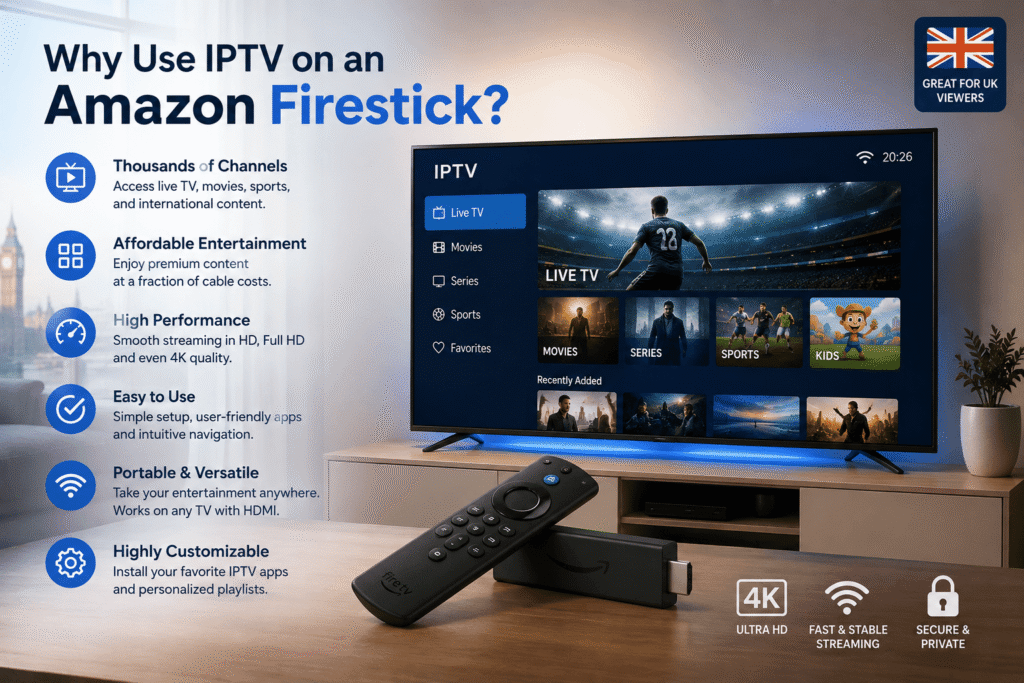
The Amazon Fire TV Stick is popular in UK households because it is affordable, compact and easy to connect to a television.
Using an IPTV player for Firestick UK can make the device even more flexible for users who already have a legitimate IPTV subscription or other authorised streaming source.
Main advantages
Simple setup: Most Fire TV Stick applications are designed for straightforward navigation.
Large-screen viewing: Instead of watching IPTV on a phone or computer, you can use your television.
Remote-friendly interface: A good player is designed to work comfortably with the Fire TV remote.
Playlist organisation: Large content libraries can be divided into categories, making channels easier to find.
EPG support: An electronic programme guide can show programme schedules when supported by your service.
Favourites: You can save frequently watched channels for faster access.
Best IPTV Player Features to Look For
Not all IPTV applications offer the same experience. Before choosing an IPTV player for Firestick UK, consider the features that matter most to you.
1. Easy navigation
A clean interface is especially important for beginners. Menus should be easy to understand, and channels should be organised logically.
Avoid applications that feel unnecessarily complicated or have too many distracting menus.
2. M3U playlist support
M3U is one of the most commonly used playlist formats. If your legitimate provider gives you an M3U playlist, check that the application supports it before installing.
3. Xtream Codes support
Some services provide login information through the Xtream Codes API. This can be easier than manually entering a long playlist URL.
If you receive Xtream Codes credentials from a legitimate provider, choose a player that supports the format.
4. EPG support
An EPG displays programme information, similar to a traditional TV guide.
A good IPTV player for Firestick UK should ideally support EPG data if your content provider supplies it.
5. Catch-up and recording
Some players or services may support catch-up television or recording. Availability depends on the application, device and content provider.
If recording is important to you, check the exact functionality before choosing an app.
6. Subtitle and audio options
For international content, subtitles and multiple audio tracks can be extremely useful.
Look for a player that gives you control over available audio and subtitle settings.
Popular IPTV Player Options for Firestick
There are several IPTV applications that Firestick users may encounter. Availability, compatibility and features can change over time, so always check the current application information before installation.
IPTV Smarters-style players
Smarters-style applications are widely known because of their relatively simple interfaces and support for common IPTV login formats.
They can be suitable for beginners who want a straightforward way to organise live television and on-demand content.
TiviMate
TiviMate is particularly well known for its TV-focused interface. It can be attractive to users who want their IPTV experience to feel closer to a traditional television guide.
Features can vary by version and subscription level.
XCIPTV
XCIPTV is another application commonly discussed by IPTV users. Its interface focuses on live TV and media organisation.
Before installation, check that the version you are using comes from a trustworthy and authorised source.
OTT Navigator
OTT Navigator provides a range of customisation options and can be useful for more experienced users managing larger playlists.
Its additional settings may be more than a complete beginner needs.
How to Install an IPTV Player on Firestick
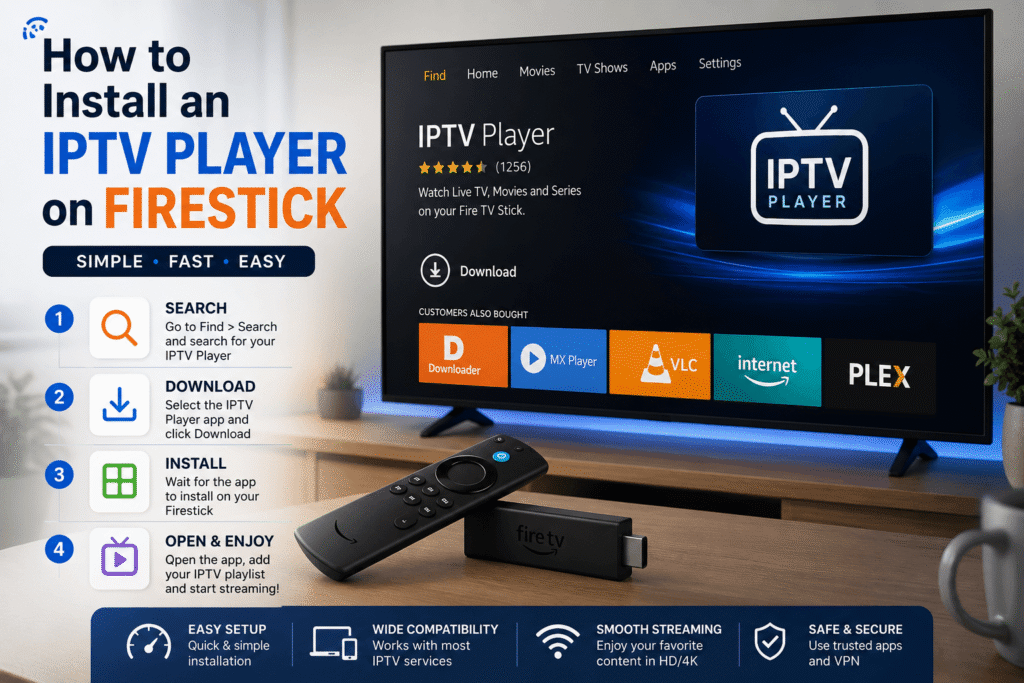
Installing an IPTV player for Firestick UK is generally straightforward, but the exact process depends on where the application is officially available.
Step 1: Connect your Firestick
Connect the Fire TV Stick to an HDMI port on your television and make sure it has a reliable internet connection.
Step 2: Open the Apps section
From the Fire TV home screen, open the application store and search for the IPTV player you want to use.
If the application is officially available through the Amazon Appstore, installing it from there is usually the simplest option.
Step 3: Install the application
Select the application and choose the installation option.
Wait for the installation to complete before opening it.
Step 4: Add your IPTV information
Open the application and look for an option such as:
- Add playlist
- Login
- Add user
- Xtream Codes
- M3U playlist
Enter the information supplied by your legitimate IPTV provider or content source.
Step 5: Load your channels
Once your information has been accepted, the application may begin loading your channels, categories and programme information.
Large playlists can take longer to load, particularly on slower connections.
How to Choose the Right IPTV Player for Firestick UK
Choosing an IPTV player for Firestick UK should be based on your viewing habits rather than simply picking the application with the most features.
Ask yourself:
- Do I mainly watch live TV?
- Do I need an EPG?
- Does my provider use M3U or Xtream Codes?
- Do I need catch-up television?
- Do I want a simple interface?
- Will several people use the Firestick?
- Do I need subtitle or audio options?
For beginners, simplicity is often more valuable than having dozens of advanced settings.
For experienced users, playlist management, EPG controls and customisation may be more important.
Internet Speed for IPTV on Firestick
Your internet connection can have a major impact on streaming quality.
A good IPTV player for Firestick UK cannot compensate for an unstable internet connection.
As a general guide:
- SD: around 5 Mbps or more
- HD: around 10 Mbps or more
- Full HD: around 15 Mbps or more
- 4K: often 25 Mbps or more
These are approximate figures. Actual requirements depend on video compression, the streaming service, network congestion and the number of devices using your connection.
For the best results, use a stable Wi-Fi connection or an Ethernet adapter where practical.
Common IPTV Problems on Firestick
Even when you have a good IPTV player for Firestick UK, problems can occur.
Buffering
Buffering can be caused by slow internet, Wi-Fi interference, overloaded servers or problems with the content source.
Try:
- Restarting your router
- Restarting the Firestick
- Moving the Firestick closer to your router
- Reducing network traffic
- Testing another legitimate stream
Channels not loading
If the application opens but channels do not work, check that your playlist or login details are correct.
Your content provider may also be experiencing an outage.
EPG not showing
If channels work but programme information does not appear, the EPG URL or configuration may be incorrect.
Some providers also do not supply EPG data.
Application keeps freezing
First restart the application and Firestick.
You can also check available storage and clear the application’s cache through Fire TV settings.
How to Improve IPTV Performance
For a better IPTV player for Firestick UK experience, follow a few simple optimisation steps.
Restart your Firestick regularly
A restart can clear temporary issues and refresh the device.
Keep your Firestick updated
Install available Fire TV software updates to maintain compatibility and security.
Keep enough storage available
Too many installed applications can reduce available storage. Remove applications you no longer use.
Use a reliable network
If possible, place your router in a central position and minimise interference.
For demanding streaming, a wired Ethernet connection can provide greater consistency than Wi-Fi.
Avoid overloaded playlists
Extremely large playlists can make some IPTV applications slower. Removing channels you never watch may improve navigation.
Is IPTV Legal in the UK?
IPTV technology itself is not illegal. It is simply a method of delivering television and video content over an internet connection.
The important issue is whether the content is properly authorised.
Using legitimate streaming services, licensed broadcasters and authorised IPTV providers is different from accessing copyrighted television channels or films without permission.
When choosing an IPTV service, look for clear information about licensing and content rights. Be cautious of services promising huge numbers of premium channels and pay-per-view events for an unusually low price.
A Firestick does not make unauthorised streaming legal.
Safety Tips for IPTV Users
Before installing any IPTV player for Firestick UK, consider where the application comes from.
Good practices include:
- Prefer official app stores and legitimate sources.
- Avoid suspicious APK download websites.
- Do not enter payment information into unknown applications.
- Keep Fire TV software updated.
- Use strong passwords for accounts.
- Research unfamiliar IPTV providers before paying.
- Avoid services making unrealistic promises.
- Check whether the content provider has the appropriate rights.
Remember that an IPTV player and an IPTV subscription are two different things.
IPTV Player vs IPTV Provider: What Is the Difference?
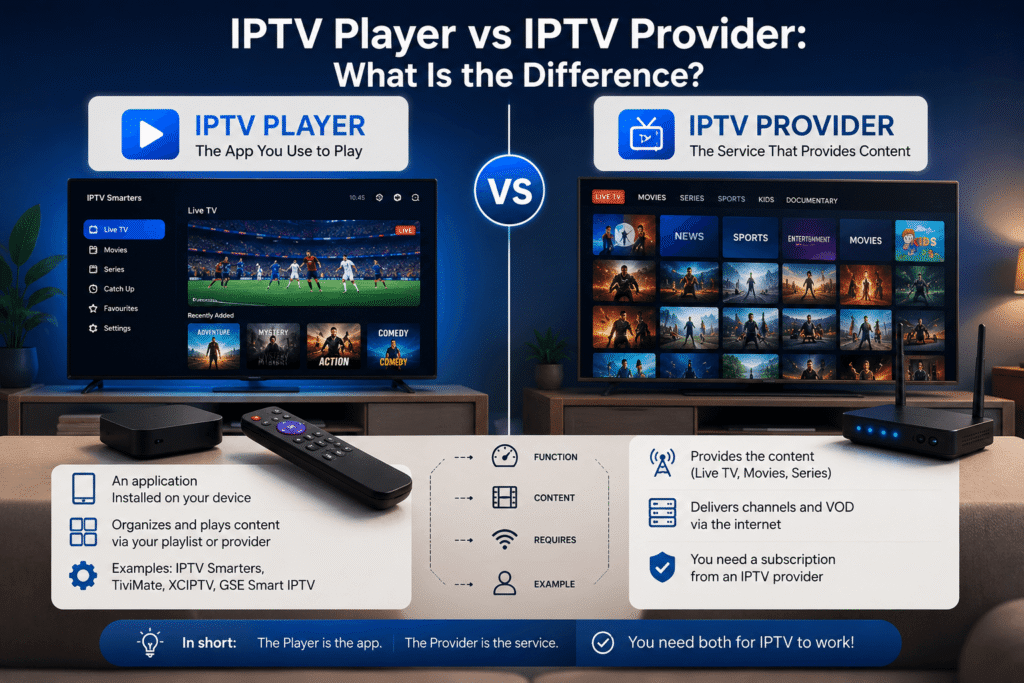
This is one of the most important concepts for beginners.
An IPTV player is the application you use to display content.
An IPTV provider is the service or source that supplies the content.
Think of it like a music player and a music subscription. The player is the tool, while the provider supplies the content.
Therefore, installing an IPTV player for Firestick UK does not automatically provide live channels.
You need compatible and authorised content to watch.
Frequently Asked Questions
What is the best IPTV player for Firestick UK?
There is no single best option for everyone. The best choice depends on your provider’s format, required features and personal preference. Beginners may prefer a simple interface, while advanced users may want stronger playlist and EPG controls.
Can I watch IPTV on a Firestick?
Yes. A Firestick can run compatible streaming applications that play IPTV content. You need a compatible application and a legitimate content source.
Do IPTV players come with channels?
Usually, no. An IPTV player for Firestick UK generally provides the software interface, while channels and programmes come from your content provider or playlist.
Do I need fast internet for IPTV?
A stable internet connection is important, particularly for HD and 4K streaming. Your required speed depends on video quality and the number of devices using your connection.
Why does IPTV keep buffering on my Firestick?
Buffering can be caused by Wi-Fi problems, insufficient bandwidth, network congestion, application issues or problems with the streaming source. Testing your connection and restarting your equipment can help identify the cause.
Can I use an M3U playlist on Firestick?
Many IPTV players support M3U playlists, but compatibility varies between applications. Check the player’s supported formats before choosing one.
Final Thoughts
Choosing the right IPTV player for Firestick UK can make streaming much easier, especially if you want a clean interface, reliable playlist management and a TV-friendly viewing experience.
For beginners, start with an application that supports your provider’s format and has simple navigation. More experienced users can look for advanced EPG, playlist, catch-up and customisation features.
Most importantly, remember that the player is only the software used to access content. Always use legitimate and authorised sources, keep your Firestick updated and make sure your internet connection is reliable.
If you’re setting up IPTV for the first time, take a few minutes to compare the available players, check compatibility with your content source and choose the option that fits the way you actually watch television.