
If you have ever wondered what Is IPTV and how people watch live television without a traditional satellite dish or cable subscription, you are not alone. IPTV has become increasingly popular because it delivers television content through an internet connection rather than conventional broadcasting methods.
IPTV stands for Internet Protocol Television. Instead of receiving TV channels through satellite, cable or terrestrial signals, IPTV delivers video content using Internet Protocol (IP) networks.
This can include live TV channels, films, TV series, sports programmes, catch-up television and on-demand content.
But how does IPTV actually work? What devices support it? Is IPTV legal in the UK? And how can you choose a reliable IPTV service?
This complete guide explains everything beginners and intermediate users need to know about IPTV.
What Does IPTV Mean?
IPTV means Internet Protocol Television.
In simple terms, it is a technology that allows television programmes and video content to be delivered over an internet connection.
Traditional television normally works like this:
- Satellite TV: Content is transmitted through satellites and received by a satellite dish.
- Cable TV: Television signals are delivered through a cable network.
- Terrestrial TV: Broadcast signals are transmitted from television towers.
- IPTV: Video content is delivered through an IP network, usually using an internet connection.
This does not necessarily mean that every website or app offering online video is an IPTV service. IPTV specifically refers to television or video services delivered using IP-based networks.
How Does IPTV Work?
Understanding how IPTV works is easier than it might seem.
When you watch an IPTV channel, the video is converted into digital data and delivered through an IP network to your device. Your IPTV application then receives and processes the stream so that you can watch the programme.
The basic process looks like this:
Content provider → IPTV server → Internet connection → IPTV app/device → Your television
Depending on the service, IPTV can provide several types of content.
Live IPTV
Live IPTV allows you to watch television channels as they are being broadcast.
For example, a legitimate IPTV provider may offer live news, entertainment, documentary or sports channels.
Video on Demand
Video on Demand, commonly called VOD, allows you to choose a film or programme and watch it when you want.
This works similarly to other popular streaming platforms, although the available content depends on the provider.
Catch-Up TV
Catch-up television allows viewers to watch programmes after their original broadcast.
This can be useful if you missed a programme that was shown earlier in the day or week.
What Do You Need to Watch IPTV?
One of the main advantages of IPTV is that you usually do not need complicated equipment.
You generally need:
- A stable internet connection
- A compatible device
- An IPTV application or platform
- A legitimate IPTV subscription or service
- A television or screen if you want to watch on a TV
Internet Connection
Your connection needs to be fast and stable enough for video streaming.
The required speed depends on the quality of the stream. HD and 4K video generally require more bandwidth than standard-definition content.
A fast connection alone is not always enough. Network stability, Wi-Fi signal strength and congestion can also affect streaming quality.
Compatible Device
IPTV can be used on many modern devices, including:
- Smart TVs
- Amazon Fire TV devices
- Android TV devices
- Google TV devices
- Smartphones
- Tablets
- Computers
- Some streaming boxes
Compatibility depends on the IPTV service and the application you choose.
IPTV on Smart TV
Watching IPTV on a Smart TV is one of the most convenient options.
Many modern Smart TVs support applications that can play IPTV streams. Depending on your television, you may be able to install a compatible IPTV player from its official app store.
The general process is:
- Connect your Smart TV to the internet.
- Open the television’s official application store.
- Search for a compatible IPTV player.
- Install the application.
- Follow the application’s instructions.
- Add content from your legitimate IPTV provider.
- Start watching.
The exact installation process varies between Samsung, LG, Android TV, Google TV and other platforms.
IPTV on Amazon Fire TV
Amazon Fire TV devices are also popular for streaming.
A typical setup involves connecting the Fire TV device to your television, connecting it to the internet and using a compatible application.
However, users should be careful when choosing IPTV applications and services.
Only use applications from trustworthy sources and avoid services that offer suspiciously cheap access to thousands of premium channels without clear licensing information.
IPTV Apps: What Do They Do?
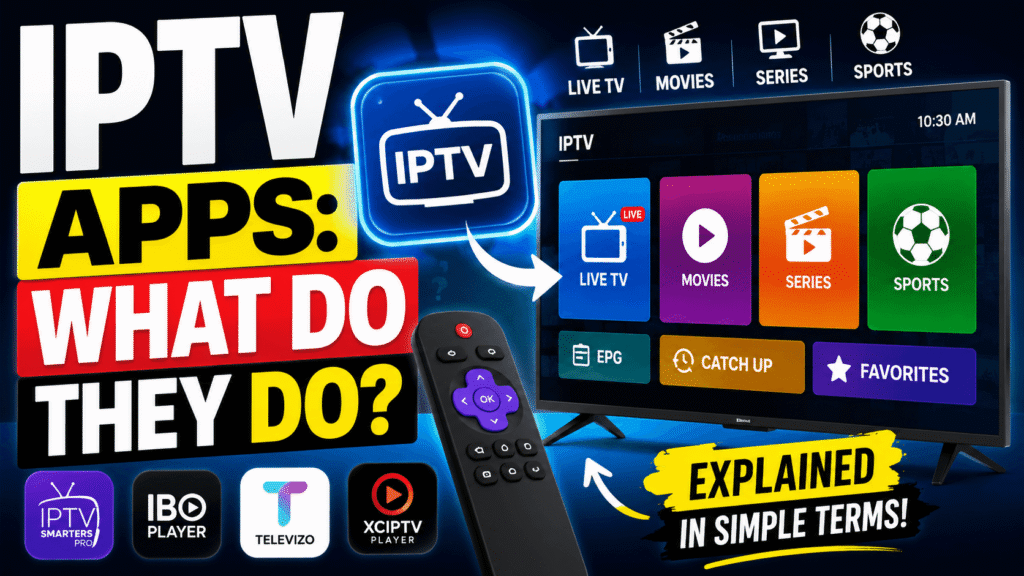
An IPTV app is normally a player or interface that allows compatible video streams or playlists to be displayed.
This distinction is important.
An IPTV player does not automatically provide television channels. In many cases, the player simply provides the technology needed to organise and play content supplied by a service.
Depending on the application, you may encounter formats or technologies such as:
- M3U playlists
- Electronic Programme Guides (EPG)
- Live TV streams
- Video on Demand
- Catch-up content
- Xtream API-style login systems
The features available depend on the particular application and service.
IPTV vs Traditional TV: What Is the Difference?
The biggest difference is the way content is delivered.
| Feature | Traditional TV | IPTV |
|---|---|---|
| Delivery | Satellite, cable or terrestrial | IP network |
| Internet required | Usually no | Usually yes |
| On-demand content | Depends on provider | Common |
| Supported devices | Mainly television | TVs, phones, tablets, computers and streaming devices |
| Flexibility | More limited | Often more flexible |
| Installation | May require aerial, dish or cable | Usually requires internet and compatible software |
IPTV can therefore provide greater flexibility, particularly for people who watch television across several devices.
Benefits of IPTV
Why has IPTV become so popular?
1. Flexible Viewing
IPTV can allow users to watch content on televisions, smartphones, tablets and computers, depending on the service.
2. On-Demand Entertainment
Many legitimate IPTV platforms combine live television with on-demand programmes and films.
3. Multiple Device Options
You are not necessarily tied to one television. Compatible services can work across different devices.
4. Internet-Based Delivery
Because content is delivered through an IP network, IPTV can be integrated with modern streaming technology.
5. Interactive Features
Some IPTV platforms support features such as electronic programme guides, catch-up TV, pause and replay, depending on the provider.
What Are the Disadvantages of IPTV?
IPTV is not perfect, and there are several factors you should consider.
Internet Dependency
If your internet connection goes down, your IPTV service may stop working.
Buffering
Slow or unstable internet connections can cause buffering, freezing or reduced video quality.
Service Reliability
The quality of an IPTV experience depends heavily on the provider’s infrastructure, servers and network capacity.
Legal Risks With Unlicensed Services
Not every IPTV service is legitimate. Some providers may distribute copyrighted television channels or films without permission.
This is one of the most important things to consider before purchasing an IPTV subscription.
Is IPTV Legal in the UK?
IPTV technology itself is legal.
The important issue is whether the provider has the necessary rights or licences to distribute the content it offers.
Using a legitimate IPTV platform is different from subscribing to a service that illegally redistributes premium channels, films, sports or other copyrighted material.
Before paying for an IPTV service, check:
- Who operates the service?
- Does the provider clearly identify its company?
- Does it explain its licensing arrangements?
- Does it have legitimate payment and customer-support channels?
- Does the offer appear realistic?
- Is the price suspiciously low compared with legitimate services?
Be particularly cautious about websites advertising huge numbers of premium channels and major sports events for an unusually low price.
How to Choose the Best IPTV Service
If you are searching for the best IPTV service, do not choose based only on the number of channels.
Instead, consider the following factors.
1. Legitimacy
Choose a provider that has the appropriate rights to distribute its content.
2. Streaming Quality
Look for reliable HD or 4K options where available.
3. Reliability
A good service should provide consistent streaming without frequent buffering or outages.
4. Device Compatibility
Check whether the service supports your Smart TV, Fire TV, Android TV, mobile device or computer.
5. Customer Support
Reliable customer support can be extremely useful if you experience technical problems.
6. Pricing
Compare the overall value rather than simply choosing the cheapest subscription.
7. Trial Options
Where legally offered, a trial can help you evaluate the service before committing to a longer subscription.
How to Improve IPTV Streaming Quality
Even with a legitimate service, poor network conditions can cause problems.
Try these practical tips:
- Use a strong Wi-Fi connection.
- Place your router in a suitable location.
- Use an Ethernet connection when possible.
- Avoid downloading large files while streaming.
- Restart your router if your connection becomes unstable.
- Keep your streaming device and apps updated.
- Choose a video quality suitable for your internet connection.
- Check whether other devices are consuming significant bandwidth.
If buffering occurs only at certain times, network congestion could also be a factor.
Is IPTV Better Than Cable or Satellite TV?
There is no single answer because it depends on what you want from your television service.
IPTV may be better for people who value flexibility, multiple devices and on-demand viewing.
Cable or satellite TV may still be attractive to viewers who prefer traditional television packages and dedicated broadcasting infrastructure.
The best option depends on your location, budget, internet connection, viewing habits and the content you want to watch.
Common IPTV Terms You Should Know
If you are new to IPTV, these terms can make the technology easier to understand.
IPTV: Internet Protocol Television.
VOD: Video on Demand, allowing users to watch content when they choose.
EPG: Electronic Programme Guide showing programme schedules.
M3U: A playlist format commonly used by media players.
Streaming: Delivering video or audio over a network while it plays.
Buffering: When playback pauses because the device needs more data.
Bitrate: The amount of data used to deliver a stream. Higher bitrates can provide better quality but require more bandwidth.
Frequently Asked Questions About IPTV
What is IPTV in simple terms?
IPTV is a way of delivering television and video content over an IP network, usually through an internet connection. It can provide live television, on-demand content and catch-up services.
Do I need the internet for IPTV?
In most consumer IPTV setups, yes. A stable internet connection is normally required to stream content.
Can I watch IPTV on a Smart TV?
Yes. Many Smart TVs can use compatible IPTV applications or built-in streaming platforms. Compatibility depends on the television, application and service.
Is IPTV legal?
IPTV technology is legal. However, the content distributed through a service must be properly licensed. Using an unlicensed service to access copyrighted content can create legal issues.
Can I watch IPTV on my phone?
Yes. Many legitimate IPTV and streaming services support smartphones and tablets through dedicated applications or compatible web platforms.
Does IPTV work without Wi-Fi?
IPTV can work without Wi-Fi if your device has another suitable internet connection, such as Ethernet or mobile data. For televisions, Ethernet is often a good alternative to Wi-Fi.
Why does my IPTV keep buffering?
Buffering can be caused by an unstable internet connection, insufficient bandwidth, Wi-Fi interference, network congestion, device problems or issues with the streaming provider.
Final Thoughts: What Is IPTV and Is It Worth Using?
So, what Is IPTV? In simple terms, IPTV is a technology that delivers television and video content through IP networks instead of relying exclusively on traditional satellite, cable or terrestrial broadcasting.
Its biggest advantages are flexibility, device compatibility and the ability to combine live television with on-demand features.
However, choosing the right service is essential. A large channel list does not automatically mean a good IPTV experience. Reliability, streaming quality, customer support and—most importantly—content licensing should all be considered.
If you are planning to use IPTV, start by checking your internet connection, choosing a compatible device and researching legitimate providers carefully. Avoid offers that seem too good to be true, especially when premium content is offered at an unrealistically low price.
Want to learn more? Explore our other IPTV guides to discover how IPTV works on Smart TVs, Fire TV, Android TV and other popular streaming devices.