
Choosing the right IPTV player for Android TV UK can make a huge difference to your streaming experience. A good player can turn a confusing playlist into an easy-to-use TV interface where you can browse live channels, films, series and other content from one place.
However, not every IPTV player offers the same features, performance or ease of use. Some are designed for beginners, while others provide advanced options such as electronic programme guides (EPG), favourites, parental controls and multiple playlist support.
In this guide, we explain what an IPTV player does, how to choose one for Android TV in the UK, how to set it up and what you should consider before using an IPTV service.
Important: An IPTV player is normally just software for playing or organising streaming content. It does not automatically provide TV channels or subscriptions. Always make sure you have the legal right to access the content you stream.
What Is an IPTV Player for Android TV UK?
An IPTV player for Android TV UK is an application that allows compatible streaming content to be displayed on an Android TV device.
IPTV stands for Internet Protocol Television. Instead of receiving television programming through traditional terrestrial, satellite or cable signals, IPTV delivers video over an internet connection.
An IPTV player can provide an interface for accessing a playlist or service supplied by the user. Depending on the application, you may be able to organise:
- Live TV channels
- Video-on-demand content
- TV series
- Electronic programme guides
- Favourite channels
- Multiple playlists
- Subtitles
- Audio tracks
- Parental controls
The important distinction is between the player and the content provider. Installing an IPTV player does not mean that you automatically receive channels.
Android TV supports applications through Google Play, making it relatively straightforward to find and install compatible apps. Google’s official Android TV guidance explains that users can browse or search for apps through the Play Store and manage installed applications from the TV settings.
How Does IPTV Work on Android TV?
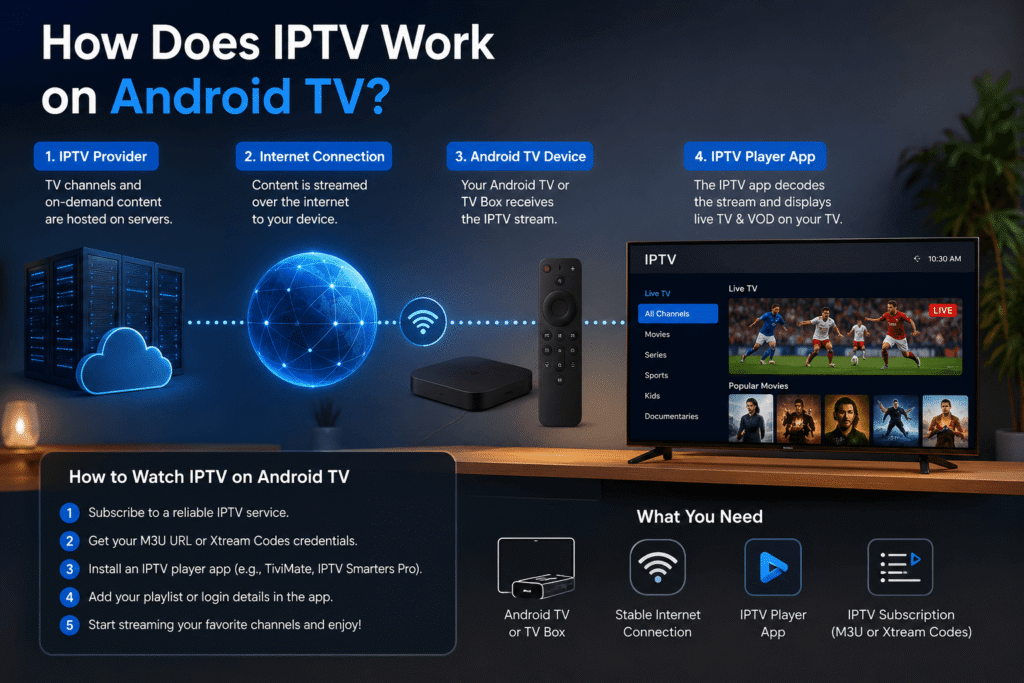
Understanding how IPTV works makes choosing a suitable IPTV player for Android TV UK much easier.
The basic process is simple:
- You have an Android TV device connected to the internet.
- You install a compatible IPTV player.
- Your legitimate IPTV provider gives you access details or a playlist.
- You add those details to the player.
- The player organises the available content.
- You select a channel or programme and begin streaming.
The player itself is similar to a media player. Think of it as the interface between your TV and the streaming source.
Your streaming quality will depend on several factors, including your internet connection, the streaming source, your Android TV device and the configuration of the application.
What Should You Look for in an IPTV Player?
Before choosing an IPTV player for Android TV UK, look beyond the appearance of the application.
1. Easy-to-use interface
If you are new to IPTV, a simple interface is extremely important.
Look for an application that makes it easy to:
- Find live channels
- Search for content
- Create favourites
- Navigate categories
- Access the TV guide
- Change playback settings
A complicated interface can quickly become frustrating, especially when using a standard TV remote.
2. EPG support
An electronic programme guide, or EPG, can make an IPTV application feel much more like traditional television.
Instead of seeing a simple list of channels, you may be able to see programme information, schedules and upcoming broadcasts.
For UK viewers, EPG support can be particularly useful when watching live television because it makes it easier to see what is currently playing and what comes next.
3. Multiple playlist support
Advanced users may want to use more than one legitimate streaming source.
A good IPTV player for Android TV UK should ideally make playlist management straightforward. Depending on the application, supported formats and login methods may vary.
Always check the application’s current documentation before entering your subscription details.
4. Favourites and categories
If your playlist contains hundreds or thousands of channels, finding your favourites can become difficult.
A useful player should allow you to organise content into categories or create a favourites list.
This can save a considerable amount of time when you regularly watch the same channels.
5. Playback stability
A visually impressive application is not useful if playback constantly freezes.
However, remember that the player is only one part of the system. Buffering can also be caused by:
- Slow internet
- Wi-Fi interference
- High network congestion
- Problems with the streaming source
- An overloaded Android TV device
Therefore, don’t automatically blame the IPTV application when a stream buffers.
Best IPTV Player Features for UK Viewers
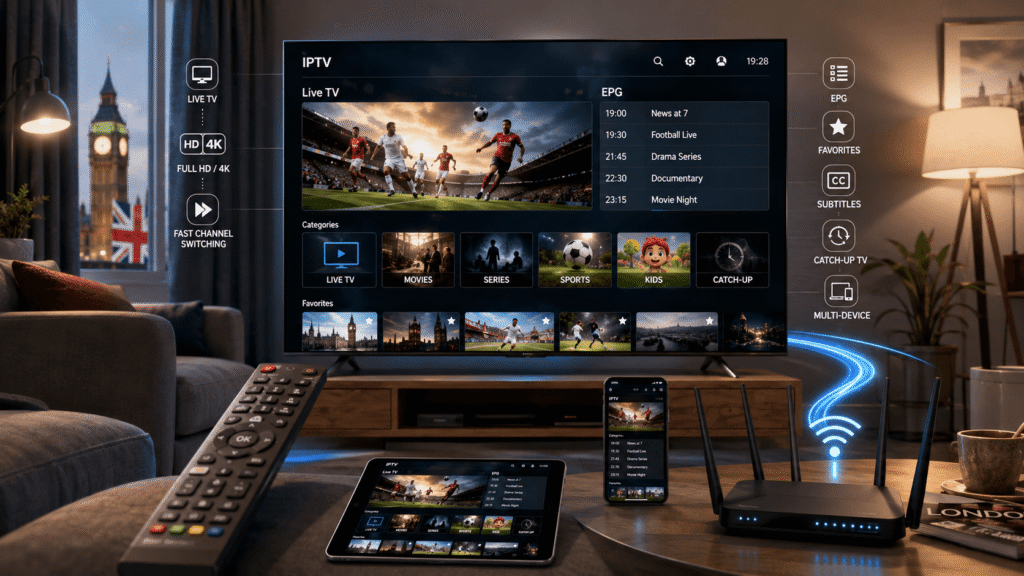
When comparing an IPTV player for Android TV UK, UK users should focus on practical features rather than marketing claims.
Remote-friendly navigation
Android TV is normally controlled using a remote, so menus should work well without requiring a touchscreen.
Search
A search function becomes increasingly valuable when you have a large content library.
EPG
A reliable programme guide can make live TV much easier to navigate.
Subtitles
If you regularly watch international programmes, subtitle support can be important.
Audio options
Some content may offer multiple audio tracks. A player that handles different audio options can provide a better viewing experience.
Parental controls
If children use the television, parental-control features can help you manage access to unsuitable content.
Regular updates
Choose an application that is actively maintained. Updates can improve compatibility, performance and security.
How to Install an IPTV Player on Android TV
Installing an IPTV player for Android TV UK is usually straightforward when the application is available through the official Google Play Store.
Step 1: Connect your Android TV to the internet
Make sure your television or Android TV device has a stable Wi-Fi or Ethernet connection.
For the most reliable performance, Ethernet is often preferable when your TV is close enough to your router.
Step 2: Open Google Play Store
From the Android TV home screen, open the Google Play Store.
Google’s official instructions confirm that Android TV users can search for applications directly through the Play Store.
Step 3: Search for your chosen player
Enter the name of the application you want to use.
Check the application’s description, compatibility and developer information before installing it.
Step 4: Install the application
Select the application and choose Install.
Once installation has finished, open the application.
Step 5: Add your legitimate IPTV service
Your provider may give you login information, a playlist URL or another supported method of accessing content.
Enter the information exactly as supplied.
Avoid copying credentials from unknown websites or downloading suspicious applications from unofficial sources.
Step 6: Configure your preferences
Once your content has loaded, configure features such as:
- Favourites
- EPG
- Subtitles
- Language
- Playback settings
- Parental controls
Your exact options will depend on the application.
IPTV Player vs IPTV Provider: What Is the Difference?
This is one of the most important things beginners need to understand.
An IPTV player for Android TV UK is generally an application used to play or organise IPTV content.
An IPTV provider, on the other hand, is the service that supplies the content.
For example, imagine a music app. The music player is not necessarily the company that owns every song available through it.
The same basic distinction applies to IPTV.
This means you should not judge an IPTV player’s legality or reliability simply by looking at the application itself. The source of the content and the rights to distribute it are separate considerations.
How Fast Should Your Internet Be for IPTV?
Internet speed is one of the biggest factors affecting streaming performance.
There is no single speed that guarantees perfect playback because quality depends on the video resolution, compression, network conditions and streaming source.
As a general rule:
- Standard-definition video requires less bandwidth.
- HD streaming requires more.
- Full HD requires a stronger connection.
- 4K streaming can require significantly more bandwidth.
For households with several people using the internet simultaneously, having additional bandwidth can be helpful.
If IPTV constantly buffers, try testing your connection on the Android TV device itself rather than relying only on the advertised speed of your broadband package.
Wi-Fi or Ethernet for Android TV IPTV?
An Ethernet connection can be an excellent option if your router is close to your Android TV.
Wi-Fi is more convenient, but wireless performance can be affected by distance, walls, interference and network congestion.
If you experience occasional buffering, consider:
- Moving the router closer to the TV.
- Using the 5 GHz Wi-Fi band where appropriate.
- Reducing other high-bandwidth activity.
- Restarting your router.
- Testing the TV using Ethernet.
These simple steps can sometimes improve streaming more than changing applications.
Common IPTV Player Problems and Solutions
Even the best IPTV player for Android TV UK can experience occasional problems.
Buffering
Check your internet connection first. Then test another stream to determine whether the problem affects everything or only one source.
Channels not loading
Check that your subscription or playlist is active and that the login information has been entered correctly.
EPG not showing
Your provider may need to supply compatible EPG information, or the player may require additional configuration.
Application crashing
Try restarting the application and Android TV. If the problem continues, check whether an update is available.
Storage problems
If your Android TV device has limited storage, uninstall applications you no longer use and clear unnecessary cached data.
Is IPTV Legal in the UK?
IPTV technology itself is not illegal. It is simply a method of delivering television and video content over the internet.
The important issue is whether the content is legally provided and whether you have the right to access it.
Ofcom explains that IPTV refers to television channels delivered through the internet, and some internet-delivered channels may fall outside Ofcom’s traditional broadcasting rules depending on how they are provided.
For consumers, the safest approach is simple: use legitimate services and avoid providers offering premium channels or events without clear licensing rights.
Do not assume that a service is legal simply because it works on an Android TV device.
How to Choose the Best IPTV Player for Android TV
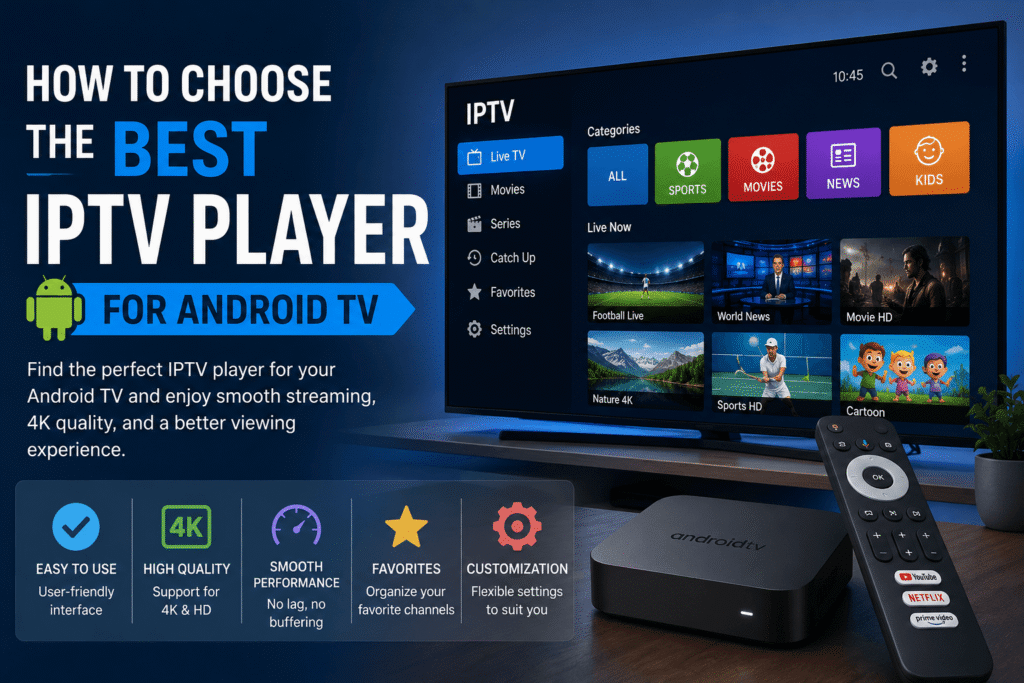
When choosing an IPTV player for Android TV UK, consider your experience level first.
Beginners
Choose a player with:
- Simple menus
- Easy playlist setup
- Search
- Favourites
- EPG support
- Clear settings
Intermediate users
You may prefer additional options such as:
- Multiple playlists
- Advanced playback settings
- Custom EPG configuration
- External player support
- Detailed organisation tools
There is no universal “best” application for everyone. The right choice depends on how you watch television and which features you actually need.
Tips for a Better Android TV IPTV Experience
Once you have installed your IPTV player for Android TV UK, a few simple adjustments can improve everyday use.
Keep Android TV updated
Software updates can improve compatibility and security.
Update your IPTV application
If an official update is available, installing it can help resolve bugs and compatibility problems.
Use a reliable internet connection
A stable connection is often more important than simply having a very high advertised download speed.
Organise your favourites
Don’t scroll through hundreds of channels every time you want to watch something.
Avoid suspicious APK files
Downloading applications from unknown websites can expose your device to unnecessary security risks.
Whenever possible, use trusted app stores and official developer sources.
Frequently Asked Questions
What is the best IPTV player for Android TV UK?
The best IPTV player for Android TV UK depends on your needs. Beginners should prioritise simple navigation, while experienced users may want advanced playlist, EPG and playback features.
Can I install an IPTV player directly on Android TV?
Yes. If the application is compatible and available through Google Play, you can normally search for it and install it directly on your Android TV device.
Does an IPTV player provide channels?
No. An IPTV player normally provides the software interface for playing or organising content. You need a legitimate source of content separately.
Why does my IPTV keep buffering?
Buffering can be caused by your internet connection, Wi-Fi conditions, the streaming source, network congestion or the Android TV device itself. Test different streams and check your network before changing players.
Do I need a VPN for IPTV?
A VPN is not automatically required simply because you are using IPTV. VPNs have legitimate privacy and security uses, but they do not make unauthorised access to copyrighted content legal.
Can I use IPTV on a Google TV device?
Many Google TV devices support compatible Android applications. Availability can vary by device, country and application, so always check the current app requirements.
Final Thoughts
Finding the right IPTV player for Android TV UK can make internet-based television much easier to manage. The best application is not necessarily the one with the longest feature list; it is the one that provides reliable playback, simple navigation and the features you genuinely need.
Before installing an application, check its compatibility, developer information and available features. Once installed, use a legitimate content source, maintain a stable internet connection and keep both Android TV and your applications updated.
If you’re new to IPTV, start with a simple setup. Learn how playlists, EPGs and favourites work before moving on to advanced settings.