
Choosing an IPTV service can be difficult when there are so many providers, packages and apps available. Before paying for a longer subscription, many UK viewers want to test the service first. An IPTV 24 hour trial can be a useful way to check whether a service works properly on your device, internet connection and preferred viewing setup.
A trial gives you a chance to explore the platform before making a commitment. You can check streaming quality, channel availability, playback performance and how easy the service is to use. However, not every trial offers the same experience, so it is important to know what to look for.
In this guide, we explain how an IPTV 24 hour trial works, what you should test, which devices are commonly supported, and what questions you should ask before choosing a subscription.
What Is an IPTV 24 Hour Trial?
An IPTV 24 hour trial is a short-term opportunity to test an IPTV service before purchasing a longer subscription.
Instead of immediately paying for a monthly, six-month or annual package, you may be given temporary access to the service. During that period, you can evaluate its performance and features.
A typical trial may allow you to test:
- Live television channels
- Sports channels
- Entertainment channels
- Movies and TV programmes
- HD or 4K streams, where available
- Electronic programme guides (EPG)
- Catch-up features, where offered
- Multiple supported devices
- Streaming stability
- Customer support
The exact features depend on the provider and package.
For UK customers, testing the service before subscribing can be particularly useful because internet speeds, devices and viewing preferences vary from household to household.
Why Try IPTV Before Buying a Subscription?
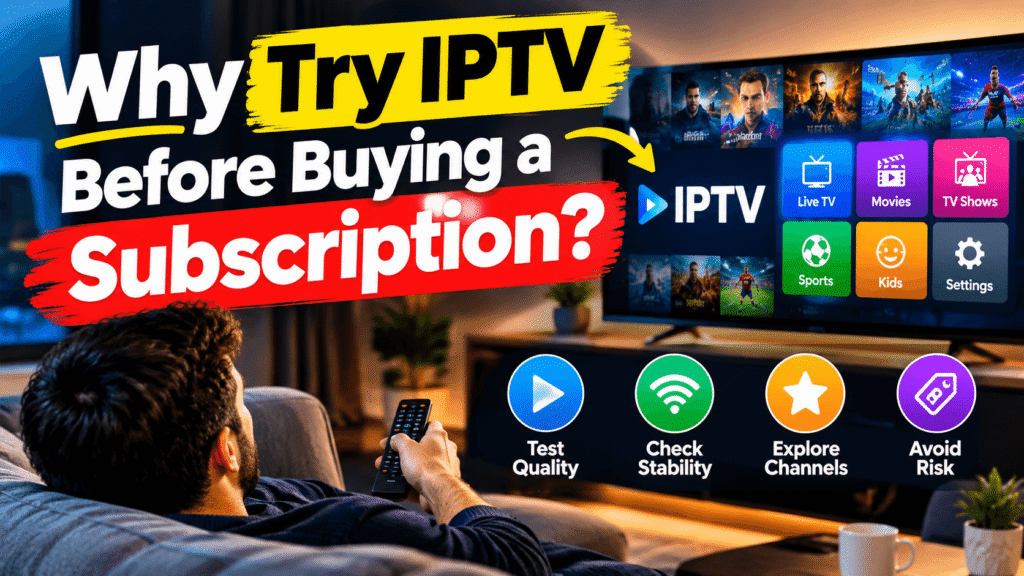
One of the biggest advantages of an IPTV 24 hour trial is that it lets you test the actual service rather than relying only on advertising claims.
A provider may advertise thousands of channels, but the number of channels is not necessarily the most important factor. What matters is whether the channels you actually watch are available and stream reliably.
1. Check Streaming Quality
During your trial, watch several types of content.
For example, test:
- Live television
- Sports
- News
- Movies
- HD content
- 4K content if your device supports it
Pay attention to buffering, freezing, delays and picture quality.
2. Test Your Internet Connection
Your home broadband connection can have a significant effect on streaming performance.
A service that works well on one connection may behave differently on another. Try the trial at different times of the day if possible.
You can also run a broadband speed test before starting.
3. Check Device Compatibility
Before purchasing, make sure the service works with the device you actually intend to use.
Common IPTV-compatible platforms can include:
- Smart TVs
- Android TV devices
- Amazon Fire TV devices
- Apple TV
- Android smartphones and tablets
- iPhone and iPad
- Windows PCs
- Mac computers
Compatibility depends on the service and the application being used.
What Should You Test During an IPTV 24 Hour Trial?
The trial period is short, so use it wisely. Don’t simply open the service once and decide immediately.
An IPTV 24 hour trial should be treated as a practical test of the complete viewing experience.
Channel Selection
Start by checking whether the channels you regularly watch are available.
Create a simple list of your most important channels and test them individually.
For example:
- Check your favourite entertainment channels.
- Test news channels.
- Check sports content where legally available.
- Test children’s channels if relevant.
- Explore international channels if you watch television from other countries.
The number of channels advertised by a provider is less useful if the content you want is unavailable.
Picture Quality
Check whether the video quality matches your expectations.
Look for:
- Clear HD images
- Stable playback
- Correct aspect ratio
- Good audio quality
- Minimal pixelation
- Reliable high-resolution streams
Remember that your television, device, Wi-Fi connection and internet speed can all influence picture quality.
Buffering and Stability
Perhaps the most important test is stability.
Watch a stream continuously for a reasonable period rather than changing channels every few seconds.
Ask yourself:
- Does the stream freeze?
- Does playback stop unexpectedly?
- Does quality suddenly decrease?
- Is there a noticeable delay?
- Does the service remain stable during busy viewing periods?
These observations can help you decide whether the service is suitable for your household.
IPTV 24 Hour Trial for Sports Fans
Sports streaming can be more demanding than ordinary television because viewers expect smooth and consistent playback.
If sports are important to you, use the trial to test relevant legal and authorised sports content available through the service.
Pay attention to:
- Stream stability
- Picture quality
- Audio synchronisation
- Channel switching speed
- EPG information
- Availability of permitted sports channels
A trial can reveal problems that might not be obvious when watching a five-minute demonstration.
If a provider makes unusually broad claims about premium sports or television content without clearly explaining its licensing, investigate before subscribing.
IPTV Apps and Devices in the UK
An IPTV service and an IPTV player are not necessarily the same thing.
A provider may give you access credentials while you use a compatible application to play the content. Other services may provide their own application.
Before starting an IPTV 24 hour trial, ask which devices and applications are officially supported.
Smart TV
Smart TVs are popular because they allow viewers to watch content without connecting a computer.
Check whether your particular television model and operating system are supported.
Amazon Fire TV
Fire TV devices are commonly used for streaming because they are compact and easy to connect to a television.
Always follow the provider’s official installation instructions and use legitimate applications.
Android TV
Android TV and Google TV devices offer a wide range of compatible media applications.
Check the application’s requirements and make sure you download software from a trustworthy source.
Mobile Devices
An IPTV service may also support smartphones and tablets.
This can be useful when travelling or when you want to watch television away from your main TV.
How to Make the Most of an IPTV 24 Hour Trial
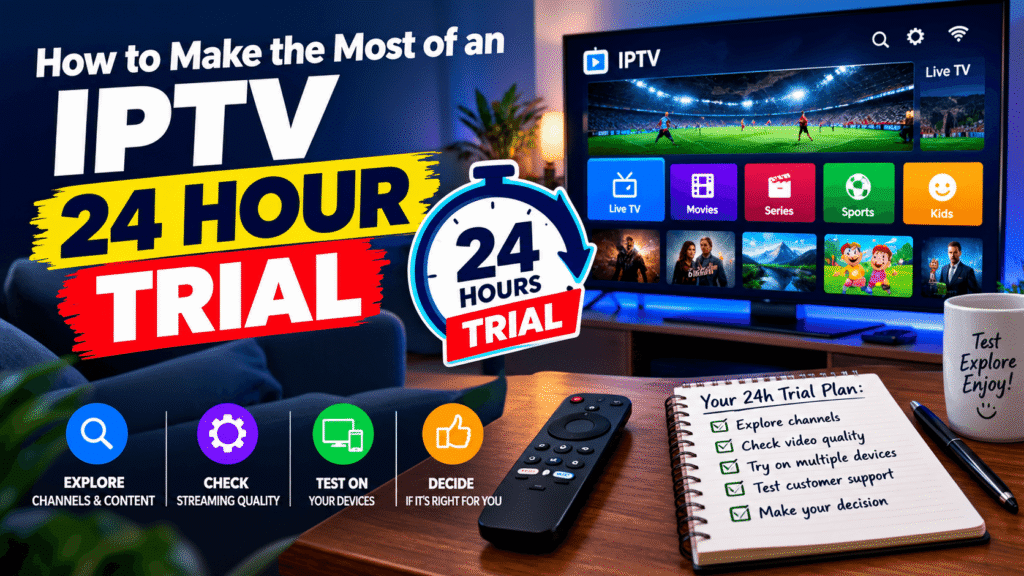
A little preparation can make a short trial much more useful.
Create a Testing Checklist
Before starting, write down what you want to evaluate.
For example:
| Feature | What to Check |
|---|---|
| Channels | Are your preferred channels available? |
| HD | Is the picture clear? |
| Stability | Does playback remain consistent? |
| EPG | Is programme information accurate? |
| Device | Does it work on your TV? |
| App | Is the interface easy to navigate? |
| Support | Can you get help when needed? |
| Price | Is the subscription suitable for your budget? |
This prevents you from focusing only on the channel count.
Test at Different Times
If possible, test the service during the afternoon and evening.
A service that performs well for a few minutes does not automatically guarantee reliable performance throughout the day.
Test Your Main Device First
If you primarily watch television on a Smart TV, test that device first.
Don’t base your purchasing decision on performance from a smartphone if your main viewing happens on a large television.
Is a Free IPTV Trial Always the Best Option?
Not necessarily.
Some services offer free trials, while others provide paid short-term trials. The important thing is understanding exactly what you are receiving.
A free trial may have limitations such as:
- Fewer channels
- Lower video quality
- Limited support
- Shorter access
- Restricted features
A paid trial may offer access closer to the full subscription experience.
However, you should never assume that paying for a trial automatically means the service is legitimate or reliable. Research the provider and its content rights before purchasing.
IPTV 24 Hour Trial vs Monthly Subscription
There is a major difference between testing a service and committing to it.
| Trial | Monthly Subscription |
|---|---|
| Short commitment | Longer commitment |
| Designed for testing | Designed for regular use |
| Lower initial cost | Higher initial commitment |
| Lets you evaluate compatibility | Provides ongoing access |
| Useful before purchasing | Suitable after evaluation |
For someone unfamiliar with IPTV, a short trial can reduce uncertainty.
Rather than immediately purchasing a long subscription, test the service and make sure it meets your requirements first.
How to Choose a Reliable IPTV Provider
When searching for an IPTV 24 hour trial, don’t focus only on price.
Look at the overall service.
Check Content Legitimacy
This is one of the most important considerations.
In the UK, television and video content can be protected by copyright and other rights. A provider should have appropriate rights or licences for the content it distributes.
Be cautious about services making unrealistic claims, especially where premium content is offered at extremely low prices with little information about licensing.
Look for Transparent Information
A reputable provider should clearly explain:
- What the subscription includes
- Supported devices
- Pricing
- Trial conditions
- Cancellation terms
- Customer support
- Privacy information
- Terms and conditions
Avoid providers that deliberately hide important information.
Read the Terms
Before paying, check whether the trial automatically changes into a paid subscription.
Look for information about:
- Renewal
- Cancellation
- Refunds
- Trial expiration
- Payment methods
Understanding these terms can prevent unexpected charges.
Common Mistakes to Avoid
Even when using an IPTV 24 hour trial, some viewers make avoidable mistakes.
Mistake 1: Choosing Based Only on Channel Numbers
A huge channel list does not automatically mean better service.
Quality, reliability, compatibility and legitimate content rights are important too.
Mistake 2: Testing for Only Five Minutes
Short tests may not reveal buffering or stability problems.
Spend enough time watching different types of content.
Mistake 3: Ignoring Your Device
Always test the device you will actually use.
Mistake 4: Choosing the Cheapest Service
Price is only one factor.
A very cheap subscription may not provide the reliability, support or legitimate content access you expect.
Mistake 5: Ignoring Licensing
Always consider whether the provider is authorised to distribute the content it offers.
IPTV 24 Hour Trial: Questions to Ask Before Subscribing
Before moving from a trial to a longer subscription, ask:
- Does the provider legally offer the content I want?
- Does it support my television or streaming device?
- Is the video quality suitable?
- Does playback remain stable?
- Is the EPG accurate?
- Are the payment and cancellation terms clear?
- Is customer support available?
- What happens when the trial expires?
- Does the subscription automatically renew?
- Is my preferred content actually included?
These questions can help you make a more informed decision.
Frequently Asked Questions
What is an IPTV 24 hour trial?
An IPTV 24 hour trial is a short period of access that allows you to evaluate an IPTV service before deciding whether to purchase a longer subscription. Features and availability depend on the provider.
Can I watch IPTV on a Smart TV?
Yes, many IPTV services and compatible players can work with Smart TVs. However, compatibility depends on your television’s operating system, model and the specific application supported by the provider.
Do I need fast internet for IPTV?
A stable broadband connection is important for streaming. Higher-resolution video generally requires more bandwidth, while Wi-Fi quality can also affect playback.
Is IPTV legal in the UK?
IPTV technology itself is legal. The important issue is whether the provider has the necessary rights to distribute the television programmes, films, sports or other content it offers. Consumers should choose authorised services.
Should I buy a yearly IPTV subscription after a trial?
Do not base the decision only on the fact that the trial worked. Check reliability, device compatibility, content rights, pricing, cancellation terms and the provider’s reputation before committing to a longer subscription.
Why does IPTV sometimes buffer?
Buffering can have several causes, including an unstable internet connection, Wi-Fi problems, device limitations, network congestion or issues with the streaming service itself. Testing the service under normal home conditions can help identify the problem.
Conclusion
An IPTV 24 hour trial can be a practical way to evaluate an IPTV service before making a longer commitment. Instead of concentrating only on the advertised number of channels, test the things that matter most to your viewing experience: stability, picture quality, device compatibility, navigation, customer support and legitimate content availability.
Take your time during the trial. Test your main device, watch different types of content and check the provider’s pricing and cancellation conditions carefully.
If the service meets your requirements and the provider is transparent about its content rights and subscription terms, you can then decide whether a longer subscription is appropriate.