
If your IPTV keeps buffering, freezing or dropping picture quality, your broadband connection may be the first thing to check. But how much internet speed for IPTV do you actually need? The answer depends on the resolution you watch, the number of devices using your connection, your Wi-Fi quality and how stable your network is.
For most UK households, you do not need an ultra-fast gigabit package simply to get good internet speed for IPTV. What matters is having enough download capacity, low congestion and a reliable connection. In this guide, we explain the recommended speeds for SD, HD, Full HD and 4K streaming, how to test your connection, and what to do when IPTV still buffers.
What Internet Speed for IPTV Do You Really Need?
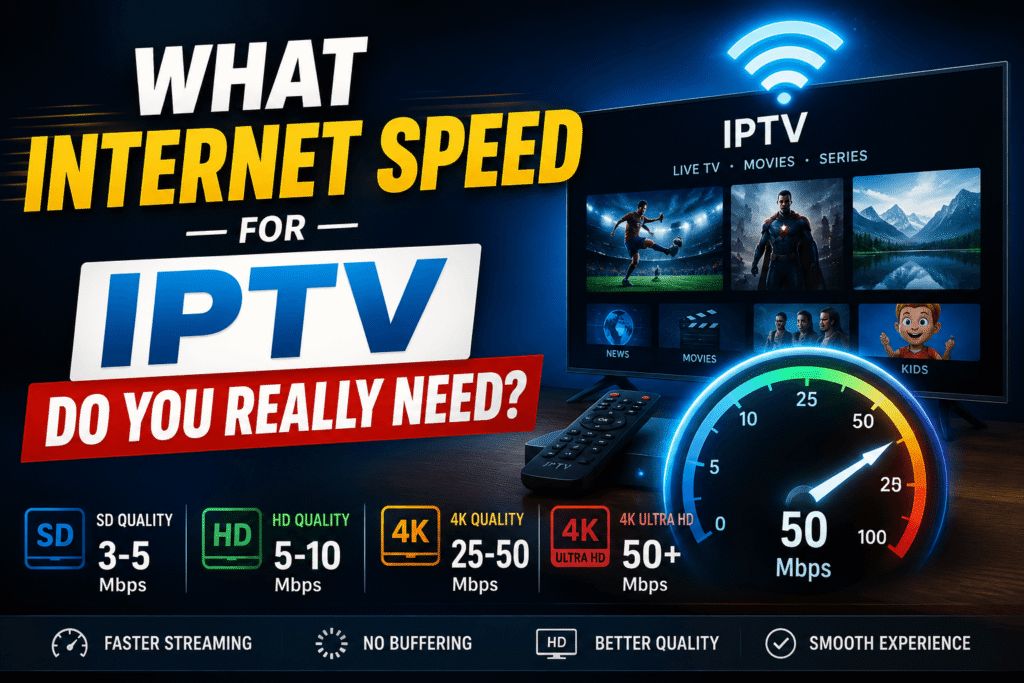
There is no single speed that works for every viewer. A basic HD stream needs far less bandwidth than a 4K stream, while a busy household needs more capacity than someone watching alone.
As a practical starting point:
| Streaming quality | Suggested minimum | Comfortable target |
|---|---|---|
| SD | 3–5 Mbps | 5–10 Mbps |
| HD 720p | 5 Mbps | 10 Mbps |
| Full HD 1080p | 8–10 Mbps | 15–20 Mbps |
| 4K UHD | 25 Mbps | 35–50 Mbps |
These figures are sensible targets rather than universal IPTV requirements. A provider may use different video codecs and bitrates, and live channels can behave differently from on-demand video.
Netflix, for example, recommends at least 3 Mbps for HD, 5 Mbps for Full HD and 15 Mbps for 4K. That does not mean every IPTV stream needs exactly the same amount, but it gives useful context.
Internet Speed for IPTV by Video Quality
SD IPTV
Standard-definition channels use relatively little bandwidth. If you mainly watch older programmes or lower-resolution channels, a connection of around 5 Mbps can be enough for one stream under good network conditions.
However, choosing a slightly faster package gives you more room for other household activity.
HD IPTV: Choosing Internet Speed for IPTV
HD is where many viewers want a balance between picture quality and bandwidth. Aim for at least 10 Mbps for a single HD stream, especially if other devices may be connected at the same time.
Full HD IPTV and Internet Speed for IPTV
For 1080p channels, around 15–20 Mbps gives a more comfortable margin for one viewer. This is particularly useful for live sports, where interruptions are much more noticeable.
4K IPTV and Internet Speed for IPTV
4K requires substantially more bandwidth and a stronger home network. A 25 Mbps connection may be enough for some streams, but 35–50 Mbps gives you a healthier buffer for fluctuations and other internet activity.
For comparison, Netflix recommends 15 Mbps or higher for 4K streaming. IPTV services can have different bitrates, so it is sensible not to treat 15 Mbps as a universal 4K target.
Is 30 Mbps Enough for IPTV? A Practical Internet Speed for IPTV Guide
For many people, yes. A 30 Mbps connection can comfortably handle one HD or Full HD stream and can be suitable for some 4K streams if the connection is stable and other devices are not consuming much bandwidth.
The important point is that advertised speed is not the same as the speed your IPTV device actually receives. Wi-Fi interference, distance from the router, network congestion and other users can reduce available bandwidth.
Ofcom classifies UK broadband below 30 Mbps as standard and 30–300 Mbps as superfast.
How Much Internet Speed for IPTV Do Multiple Streams Need?
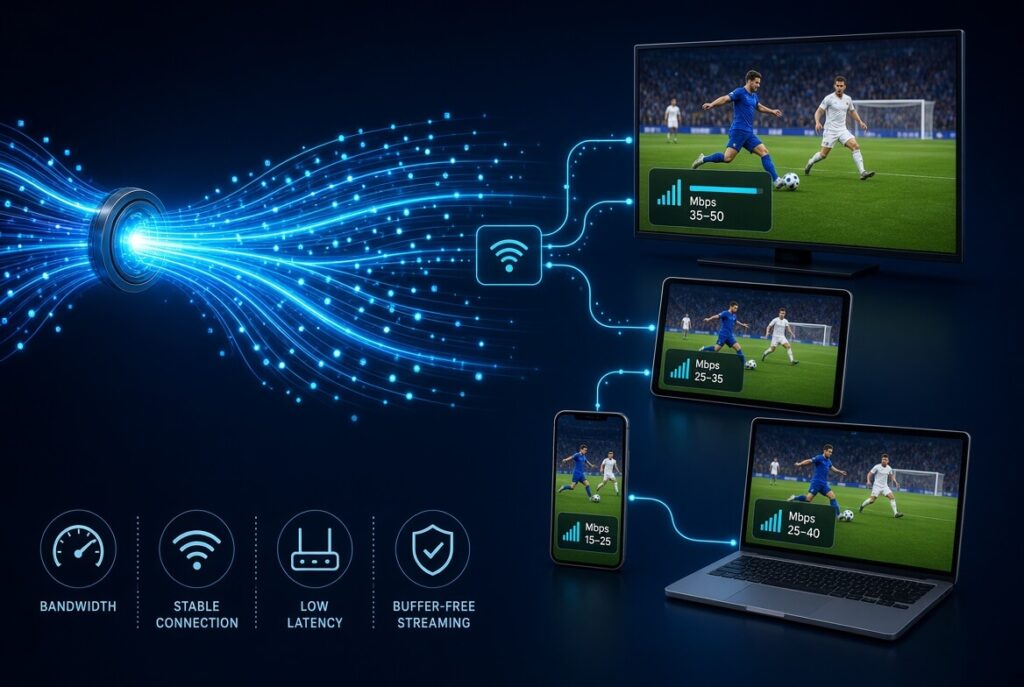
The more simultaneous streams you run, the more bandwidth you need.
A simple way to estimate your requirement is:
Required bandwidth = stream bandwidth × number of simultaneous streams + household headroom
For example, if each Full HD stream effectively uses around 8 Mbps and you want three streams, you would need roughly 24 Mbps just for the video. A 50 Mbps or faster connection would provide additional room for normal household activity.
For 4K, leave a larger safety margin because higher-bitrate streams can consume substantially more bandwidth.
Download vs Upload: Which Matters for Internet Speed for IPTV?
When watching IPTV, download speed is usually more important than upload speed because video data is being delivered to your device.
Upload speed matters much more for activities such as:
- Video calls
- Sending large files
- Live streaming your own content
- Cloud backups
- Uploading videos
If your download speed is excellent but your IPTV still buffers, do not immediately assume the broadband package is the problem. Network stability, latency, packet loss and Wi-Fi performance can all affect playback.
Why IPTV Buffers Even With Fast Internet
This is one of the most important points for IPTV users. Having 500 Mbps or 1 Gbps broadband does not guarantee perfect streaming.
Common causes include:
1. Weak Wi-Fi
Your TV may be far from the router, or walls and other electronics may interfere with the wireless signal.
2. Network congestion
Your household may be using a large amount of bandwidth at the same time. Ofcom notes that broadband speeds can fall during busy periods because of network congestion.
3. IPTV server problems
If only one channel or service is buffering while other streaming apps work normally, the problem may be with the service’s infrastructure rather than your broadband.
4. Device limitations
An older smart TV, streaming stick or Android TV box may struggle with high-bitrate video even when your broadband is fast.
5. Poor router placement
A router hidden inside a cabinet or placed behind thick walls can provide weaker Wi-Fi than a centrally positioned router.
How to Test Your Internet Speed for IPTV at Home
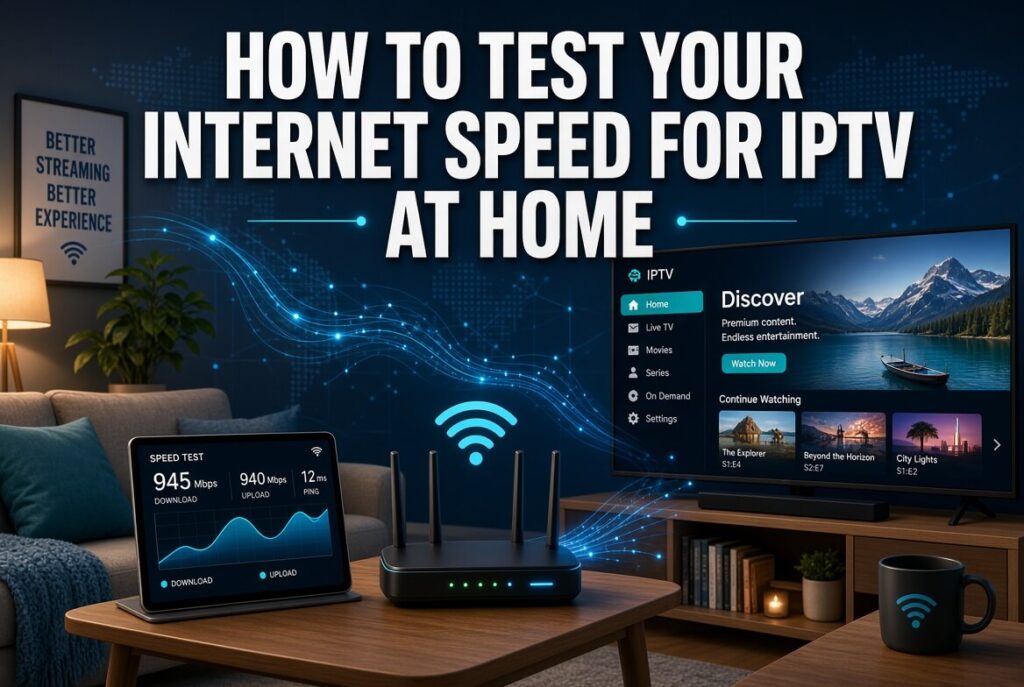
Before changing your broadband package, test the connection that your IPTV device actually uses.
Follow these steps:
- Connect your TV or streaming device to your normal home network.
- Stop downloads and other heavy internet activity.
- Run a speed test.
- Test again at different times, especially during the evening.
- Compare results over several tests rather than relying on one measurement.
Netflix provides a simple browser-based speed test through Fast.com and recommends checking that the measured speed meets the target for your desired video quality.
If your router reports 100 Mbps but your TV receives only 20 Mbps over Wi-Fi, the wireless connection may be your real bottleneck.
How to Improve Internet Speed for IPTV Performance
If your speed test looks good but playback remains unreliable, try these practical fixes.
Use Ethernet Where Possible
A wired Ethernet connection is often the simplest way to improve stability. It avoids many of the interference and signal-strength problems associated with Wi-Fi.
Move Your Router
Place the router in an open, central position rather than inside furniture or at the far end of the house.
Use 5 GHz Wi-Fi
If your device supports it and is reasonably close to the router, 5 GHz Wi-Fi can provide higher speeds and less interference than crowded 2.4 GHz networks. Its range can be shorter, however.
Restart Your Router and Streaming Device
A simple restart can clear temporary network or device problems.
Reduce Background Usage
Pause large downloads, cloud backups and game updates while watching live television.
Update Your Device
Keep your smart TV, streaming stick, IPTV player and router firmware updated. Compatibility and performance improvements can sometimes resolve playback issues.
Check More Than One Channel
If one channel buffers but several others play perfectly, the issue may be specific to that stream. This is a useful troubleshooting clue.
Best Internet Speed for IPTV in a UK Household
For most UK viewers, the best package depends on how the connection is used rather than IPTV alone.
One viewer
Around 15–30 Mbps is a comfortable range for HD and Full HD, assuming the connection is stable.
Two to three viewers
Around 50–100 Mbps gives much more breathing room, especially if several people stream at once.
Busy family household
100 Mbps or more is a sensible target when multiple people stream, game, work from home and use smart devices simultaneously.
Heavy 4K household
A 100–300 Mbps full-fibre package can provide plenty of headroom for multiple high-quality streams and other demanding activities.
The UK’s broadband infrastructure is increasingly capable of these speeds. Ofcom reported that 86% of UK homes could access gigabit-capable broadband in its spring 2025 update.
FAQ: Internet Speed for IPTV
What is the minimum internet speed for IPTV?
For basic SD or HD streaming, around 5–10 Mbps can be enough for one stream. For Full HD, 15–20 Mbps is a more comfortable target, while 4K generally benefits from 25 Mbps or more.
Is 10 Mbps enough for IPTV?
It can be enough for one HD stream under good conditions. However, 10 Mbps leaves little room for other household activity, so buffering can occur if another device is downloading or streaming.
Is 25 Mbps enough for 4K IPTV?
It can be, depending on the stream’s bitrate and network stability. For a more reliable 4K experience, a faster connection with additional headroom is preferable.
Why does IPTV buffer with 100 Mbps internet?
The problem may be Wi-Fi, network congestion, packet loss, the streaming device, the IPTV server or the particular channel. A fast broadband package does not eliminate these factors.
Does Ethernet make IPTV better?
Often, yes. Ethernet provides a direct connection between the router and device, which can reduce wireless interference and improve consistency.
Does IPTV use a lot of data?
High-quality video can consume significant data. As a reference, Netflix says its highest setting can use up to 7 GB per hour for 4K video. Actual IPTV data consumption varies by bitrate, codec and viewing time.
Conclusion
Choosing the right internet speed for IPTV is not simply about buying the fastest broadband package available. For most UK households, the right internet speed for IPTV is a stable 30–50 Mbps connection, while 100 Mbps or more gives additional headroom for multiple users and 4K streaming.
If you experience buffering, test your internet speed for IPTV at the TV first. Check Wi-Fi strength, reduce background traffic, try Ethernet and test at different times of day. If other services work perfectly but a particular IPTV stream does not, investigate the stream or provider before upgrading your broadband.
The goal of choosing internet speed for IPTV is simple: choose enough speed for your household, then focus on stability and network quality. That approach can save money while giving you a much smoother streaming experience.
Ready to improve your IPTV setup? Test your connection today, compare your result with the recommendations above, and identify the real cause of buffering before spending more on broadband.