
Finding the right IPTV service can be difficult, especially when you do not know whether the channels will load smoothly, whether the service works on your device, or whether the picture quality meets your expectations. An IPTV free test subscription can give beginners and experienced streamers an opportunity to evaluate a service before committing to a longer plan.
However, not every IPTV provider operates in the same way. In the UK, viewers should also consider whether the provider has the necessary rights to distribute the content it offers. IPTV itself is simply television delivered through an internet connection; the legality depends on the content and the provider’s rights, not simply on the technology being used. Ofcom explains that IPTV can deliver television channels through the internet, including on connected TVs.
This guide explains what to look for during a trial, how to test IPTV properly, which devices to check, and how to identify warning signs before paying.
What Is an IPTV Free Test Subscription?
An IPTV free test subscription is a temporary access period offered by an IPTV provider so that a potential customer can test its service before purchasing a full subscription.
The trial might give you access to some or all of the provider’s advertised features. Depending on the provider, you may be able to test:
- Live TV channels
- On-demand content
- Sports channels
- Catch-up or replay features
- Electronic programme guides (EPG)
- HD or 4K streams
- Multiple compatible devices
- Different IPTV applications
The length of a trial can vary considerably. Some providers may offer a short test lasting a few hours, while others may provide access for a longer period.
The important point is that a trial should be treated as a testing opportunity, not proof that the provider is legitimate.
Why Try IPTV Before Buying?
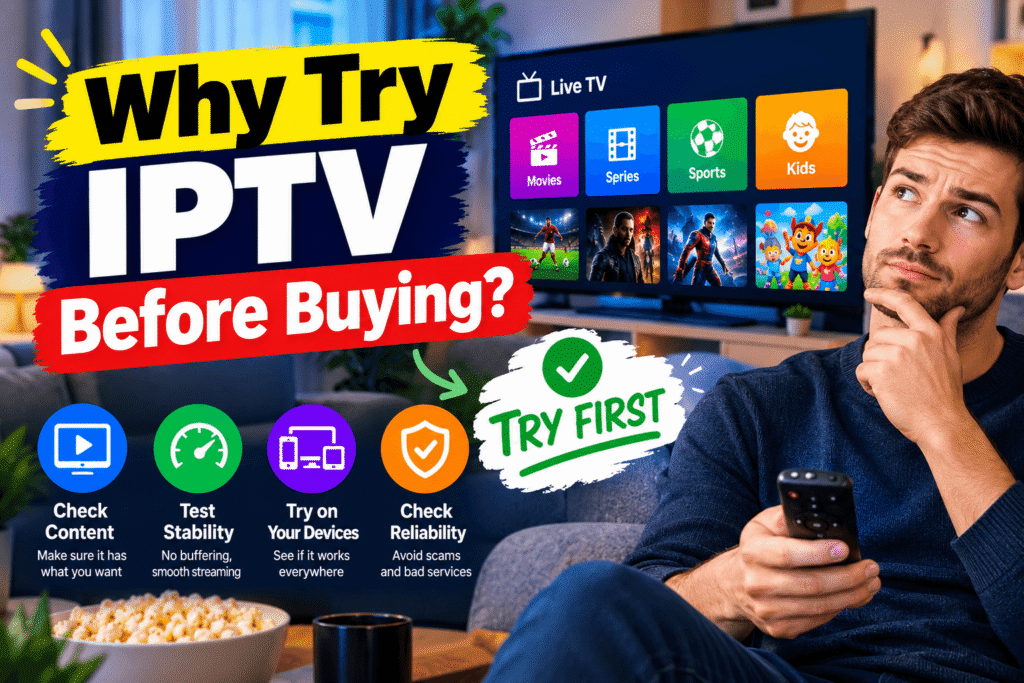
Paying for a long-term subscription without testing the service can be frustrating. A short trial lets you investigate practical factors that are difficult to judge from a sales page.
With an IPTV free test subscription, you can check whether the service performs well on your own internet connection and device.
1. Test Streaming Stability
A service may look impressive on a website but perform differently when you actually stream it.
During your test, watch several channels for at least 10–15 minutes. Look for:
- Frequent buffering
- Sudden disconnections
- Frozen pictures
- Audio delays
- Long loading times
- Channels that fail to open
Try testing at different times of day. Evening viewing can be particularly useful because more people may be using internet services at the same time.
2. Check Picture Quality
Do not judge a service from one channel alone.
Test different types of streams, such as:
- Standard definition
- HD
- Full HD
- 4K, where legitimately offered
- Live sports
- News
- Entertainment
- Movies
Remember that advertised resolution does not automatically guarantee excellent picture quality. Your television, device, internet connection and the actual stream all affect the viewing experience.
3. Test Your Own Device
An IPTV free test subscription becomes much more useful when you test it on the device you actually intend to use.
Common IPTV-compatible devices can include:
- Smart TVs
- Android TV devices
- Amazon Fire TV devices
- Apple TV
- Smartphones
- Tablets
- Windows PCs
- Mac computers
Compatibility can vary between providers and applications, so ask the provider which official or legitimate application they support before beginning your test.
How to Test IPTV Properly
A few minutes of testing is not always enough. Use a simple checklist so you can make an informed decision.
Step 1: Test Live Channels
Start with several channels rather than just one.
Open channels from different categories and allow each one to play for several minutes. If one channel fails, try another. This helps you distinguish between an isolated channel problem and a wider service issue.
Step 2: Test the EPG
If an electronic programme guide is provided, check whether it loads correctly.
Look for:
- Accurate programme information
- Correct times
- Easy navigation
- Fast loading
- Clear channel names
A good EPG can make a large channel list much easier to navigate.
Step 3: Test On-Demand Content
If the service includes video-on-demand content, test several titles.
Check how quickly the content starts and whether playback remains stable. Try pausing, restarting and changing the playback position.
Step 4: Test Different Internet Conditions
Your home connection can have a major effect on streaming.
For a useful IPTV free test subscription, test the service under normal conditions rather than assuming that a perfect connection during one short session represents everyday performance.
If possible, test:
- Wi-Fi
- internet
- Your usual television
- Your normal viewing location
Ethernet can sometimes provide a more stable connection than Wi-Fi, particularly when the router is far from the television.
What Internet Speed Do You Need?
There is no single internet speed that guarantees perfect IPTV performance because streaming quality depends on many factors.
As a general practical guide, higher-resolution video requires more bandwidth than standard-definition streaming. A stable connection is often more important than simply having a very high headline speed.
You should also consider:
- Network congestion
- Wi-Fi signal strength
- Router performance
- Number of devices using your connection
- Distance from the router
- Server performance
If several people are streaming, gaming or downloading at the same time, your available bandwidth may be reduced.
Is an IPTV Free Trial Legal in the UK?
An IPTV free test subscription is not automatically legal simply because it is free.
The important issue is whether the provider has permission or appropriate rights to distribute the content it offers.
UK government guidance explains that copyright protects films, television recordings, broadcasts and other creative works. Using copyright material generally requires permission unless a specific exception applies.
The Intellectual Property Office also warns consumers about illicit streaming. It explains that streaming devices and services can be used legally, but become problematic when adapted or used to access unauthorised content.
Therefore, do not assume that a provider is legitimate because it offers a free test, a large channel list, or an attractive price.
How to Identify a Trustworthy IPTV Provider
When considering an IPTV free test subscription, look beyond the number of channels advertised.
A professional provider should give customers clear information about:
- The company or service identity
- Terms and conditions
- Privacy information
- Contact details
- Supported devices
- Pricing
- Payment terms
- Cancellation conditions
- Content licensing where applicable
Be particularly careful when a service makes unrealistic promises such as unlimited premium content for an unusually low price.
A huge channel count is not necessarily an indication of quality. Reliability, transparency, customer support and legitimate content rights are much more meaningful factors.
Red Flags to Watch For
Some warning signs should make you stop and investigate further before making a payment.
Be cautious if a provider:
- Refuses to explain who operates the service
- Offers premium channels at an implausibly low price
- Requests unusual payment methods without clear justification
- Has no meaningful terms or privacy information
- Makes unrealistic uptime promises
- Pushes you to pay immediately
- Uses constantly changing contact details
- Provides suspicious apps or downloads
- Cannot explain the source or licensing of its content
The UK Intellectual Property Office has also warned that unauthorised streaming services can expose consumers to malware, fraud and data-theft risks.
IPTV Free Test Subscription vs Long-Term Subscription
There is a major difference between testing a service and committing to it for a long period.
An IPTV free test subscription gives you the opportunity to evaluate performance before making a purchasing decision.
A long-term plan may offer a lower monthly equivalent price, but it also creates a bigger commitment.
Before choosing a longer plan, consider:
| Factor | Short Trial | Long-Term Plan |
|---|---|---|
| Initial commitment | Low | Higher |
| Testing opportunity | High | Limited after purchase |
| Financial risk | Usually lower | Usually higher |
| Device testing | Possible | Possible |
| Service evaluation | Short period | Longer commitment |
| Cancellation importance | Lower | Higher |
Always read the provider’s cancellation and refund conditions before paying.
Can You Test IPTV on a Smart TV?
Yes, IPTV services can be accessed through compatible smart TVs and connected devices, but the exact method depends on the service and application.
An IPTV free test subscription can be useful for checking whether the service works correctly on your particular television.
Before starting, confirm:
- Your TV model and operating system.
- Which legitimate application the provider supports.
- Whether the application is available through your TV’s official app store.
- Whether your account works correctly.
- Whether live playback remains stable.
Do not install unknown applications simply because a provider tells you to. Official app stores and established software sources generally provide a safer starting point.
Can You Test IPTV on Fire TV or Android TV?
Many IPTV applications can run on Android-based TV devices, but compatibility varies.
With an IPTV free test subscription, you can check whether navigation, playback and picture quality are satisfactory on your chosen device before paying.
Test both live television and on-demand playback if they are included in the service.
Also check whether the provider requires a particular application. Some services work with several compatible players, while others may depend on a specific application.
What About IPTV Sports Streaming?
Sports are often one of the main reasons people investigate IPTV.
However, sports content can involve significant broadcasting rights. A service advertising a large number of premium sports channels should therefore be examined carefully.
If a provider claims to offer subscription sports channels without explaining its rights, treat that as a warning sign. UK government guidance specifically advises consumers seeking subscription sports content to approach the relevant provider for legal viewing options.
Do not assume that a sports channel is legitimate merely because it appears in an IPTV application.
How to Compare IPTV Providers
If you are testing several services, create a simple comparison table.
For each provider, record:
- Trial duration
- Supported devices
- Streaming stability
- Picture quality
- EPG performance
- On-demand performance
- Customer support
- Pricing
- Cancellation terms
- Transparency about content rights
This makes it easier to compare services based on facts rather than marketing claims.
You can also record buffering incidents during the same viewing period. For example, test each service for 30 minutes using the same device and internet connection.
Does a Free IPTV Trial Guarantee Good Service?
No.
An IPTV free test subscription only shows you how the service performs during the period you test it.
Performance can change later because of server capacity, network conditions, software updates or other technical factors.
That is why you should avoid choosing a provider based on one short test alone.
A longer test, where available, gives you more opportunities to evaluate different channels and viewing conditions.
IPTV Security Tips for UK Users
Streaming should not mean ignoring online security.
Before using an IPTV service:
- Keep your device software updated.
- Download applications from trusted sources.
- Avoid suspicious APK files.
- Never provide unnecessary personal information.
- Use strong, unique passwords.
- Check payment pages carefully.
- Avoid entering card details on suspicious websites.
- Read privacy policies before creating an account.
The UK’s Intellectual Property Office warns that unauthorised streaming sources can create risks involving malware, fraud and data theft.
Frequently Asked Questions
Is an IPTV free trial always legal?
No. An IPTV free test subscription can be offered by either legitimate or unauthorised services. The key issue is whether the provider has the necessary rights to distribute the content.
How long should I test IPTV?
There is no universal ideal duration. A useful test should be long enough to check multiple channels, playback types and your normal viewing conditions rather than relying on a single five-minute test.
Can I test IPTV on my Smart TV?
Usually, if the service supports your television and a compatible application. Check the provider’s supported devices before beginning the test.
Does a free IPTV test require a credit card?
Not necessarily. Payment requirements depend on the provider. Be cautious if a provider requests payment details for a supposedly free trial without clearly explaining why.
Can IPTV provide 4K channels?
IPTV technology can deliver high-resolution video, but actual quality depends on the stream, provider, device, internet connection and available bandwidth. A 4K label alone does not guarantee genuine 4K quality.
Should I buy a 12-month IPTV subscription immediately?
It is generally sensible to understand the service, terms, cancellation conditions and content rights before making a long-term commitment. A trial can help you evaluate technical performance, but it does not independently verify the provider’s licensing.
Final Thoughts
An IPTV free test subscription can be a useful way to evaluate streaming performance before committing money to a service. The key is to test more than one channel and look beyond attractive marketing claims.
Check live channels, on-demand playback, EPG performance, device compatibility and streaming stability. Most importantly, investigate whether the provider has the appropriate rights to distribute its content in the UK.
IPTV itself is simply a method of delivering television over the internet. The legality of a particular service depends on what it provides and whether it is authorised to provide that content. Ofcom confirms that IPTV is used to deliver television channels over the internet, while UK government guidance distinguishes legitimate streaming from unauthorised access to copyrighted content.
Before paying for any service, take a few minutes to investigate it properly. A careful test can help you understand the technical experience, while checking licensing, privacy, payment and cancellation information can help you make a more informed choice.