
If you are new to internet television, you may be wondering what do you need to watch IPTV before spending money on a new device or subscription. The good news is that the basic setup is usually simple: a reliable internet connection, a compatible screen or streaming device, a suitable IPTV player, and a legitimate IPTV service that has the rights to provide the channels and content you watch.
IPTV stands for Internet Protocol Television. Instead of receiving television through traditional terrestrial, satellite or cable signals, IPTV delivers television content over an internet connection. This makes it possible to watch live channels, on-demand programmes and other video content on smart TVs, streaming sticks, phones, tablets and computers.
This guide explains what do you need to watch IPTV, how the different parts work together, which devices are practical in the UK, and how to choose a safe and legal setup.
What Is IPTV and How Does It Work?
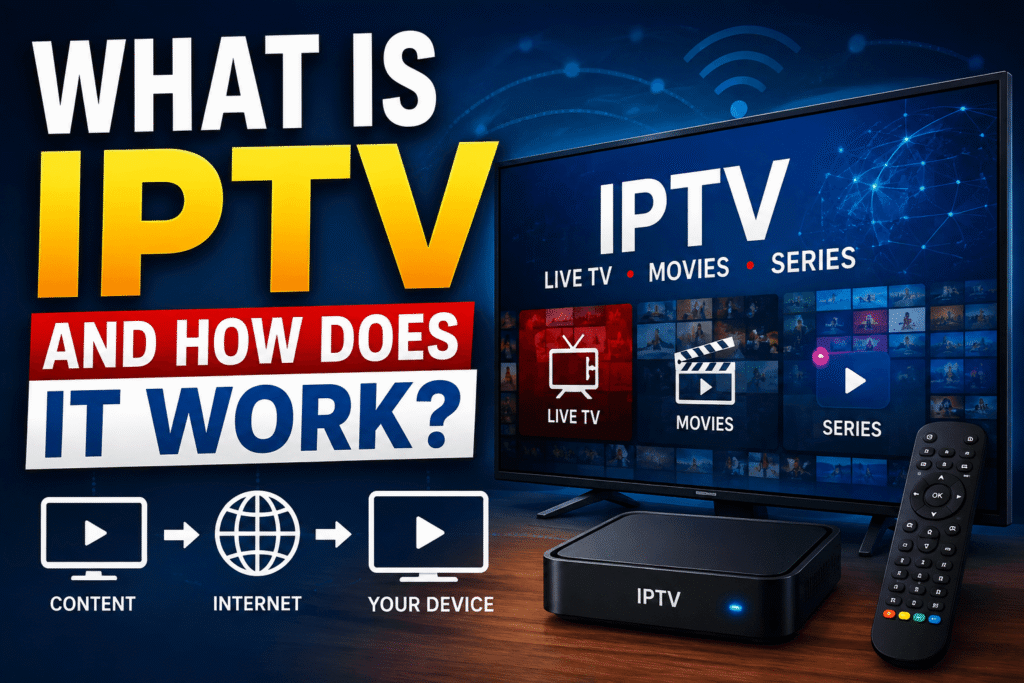
IPTV is television delivered through an IP network. In simple terms, your device connects to the internet, your IPTV service provides the authorised content, and an IPTV player displays that content on your screen.
A typical setup looks like this:
Internet connection → IPTV service → IPTV app/player → TV, phone, tablet or computer
The exact technology can vary. Some services use their own official apps, while others may provide a compatible playlist or login system. The important point is that an IPTV player is normally a viewing tool, not the source of the channels itself.
For beginners asking what do you need to watch IPTV, it helps to separate the setup into four essentials: internet, device, player/app and legal content source.
What Do You Need to Watch IPTV?
1. A Reliable Internet Connection
The first requirement is a stable internet connection. IPTV sends video data continuously, so an unreliable connection can cause buffering, freezing or reduced picture quality.
For a comfortable experience, aim for a connection that can handle the resolution you want to watch while leaving enough capacity for other people and devices in your home.
As a practical guide:
- HD streaming: around 5–10 Mbps per stream is a sensible target.
- Full HD: around 10 Mbps or more gives you useful headroom.
- 4K: around 25 Mbps or more is commonly recommended, depending on compression and the service.
These figures are practical targets rather than universal requirements. The actual bandwidth needed depends on the provider, codec, resolution and network conditions.
A fast connection is not enough by itself. Stability, latency, Wi-Fi signal strength and network congestion also matter.
2. A Compatible Device
The second part of what do you need to watch IPTV is a device capable of running the service or player.
Common options include:
Smart TV
Many modern smart TVs can install streaming applications directly. Check your television’s app store and operating system before choosing a service.
Streaming stick or box
A dedicated streaming device can be useful if your TV is older or has limited app support. Devices based on Fire TV, Google TV or Android TV can provide a larger app ecosystem. Google’s official guidance confirms that Google TV devices can install available apps from the Apps area.
Phone or tablet
Android and iOS devices are convenient for watching when travelling around the home or away from the television, provided the relevant app and service support them.
Computer
A Windows PC or Mac can also be used when the IPTV provider offers a compatible web player or desktop-supported method.
3. An IPTV Player or Official App
An IPTV player is the software that displays compatible television streams. However, it does not automatically provide channels.
Depending on your legitimate provider, you may use:
- The provider’s official application
- A compatible IPTV player
- A web browser
- An app available through your device’s official app store
The best choice is usually the simplest one supported by your provider. Official applications can also make account management, updates and troubleshooting easier.
Before installing an app, check its publisher, permissions, reviews and source. Avoid downloading unknown modified applications from random websites.
4. A Legitimate IPTV Service
The most important part of what do you need to watch IPTV is a lawful source of content.
IPTV itself is not illegal. Ofcom describes IPTV as television channels delivered through the internet. The legal issue depends on whether the provider has permission or appropriate rights to distribute the content.
In the UK, be especially careful with services promising hundreds or thousands of premium channels, films and sports events for an unusually low price. Government guidance explains that devices and apps can be legal when used for legitimate content but become illicit when adapted to access copyrighted subscription content without permission.
Before subscribing, look for clear company information, transparent pricing, proper terms, customer support and evidence that the service is authorised to provide the content.
How Much Internet Speed Do You Need for IPTV?
One of the most common questions around what do you need to watch IPTV is internet speed.
There is no single speed that works for everyone. Consider these factors:
- Video resolution
- Number of simultaneous streams
- Wi-Fi quality
- Other household internet usage
- Streaming technology used by the provider
- Distance from your router
For example, if one person watches HD television while another plays online games and someone else uses video calls, a faster broadband connection may provide a smoother overall experience.
If your TV supports Ethernet, a wired connection can often be more stable than Wi-Fi. If you use Wi-Fi, place your router where the signal can reach the TV or streaming device effectively.
What Device Is Best for IPTV in the UK?
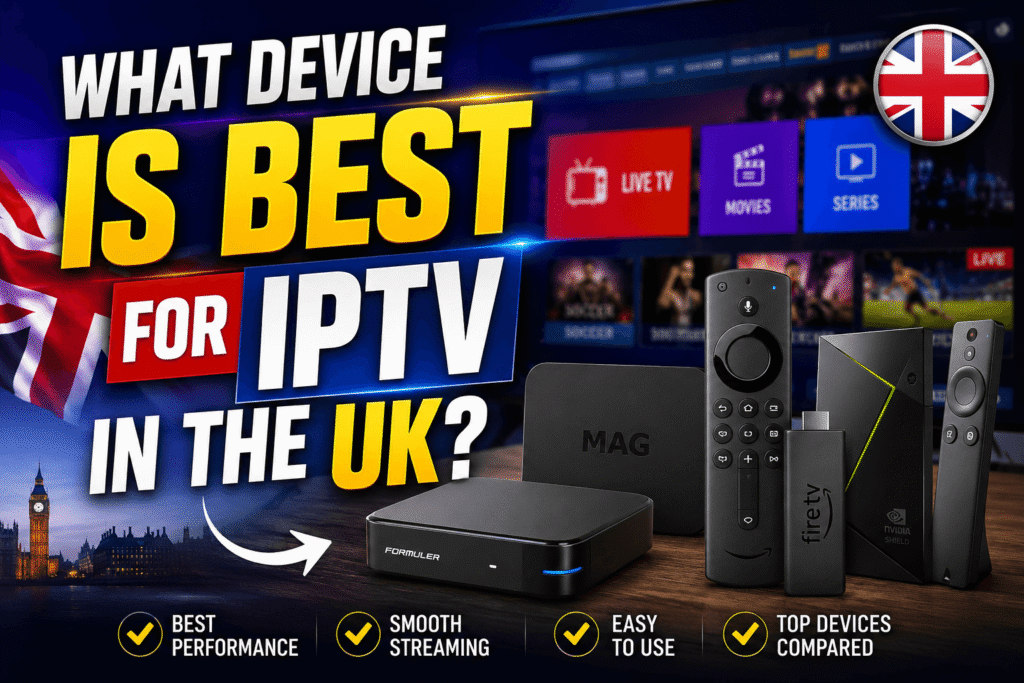
There is no single best device for everyone. Your choice depends on your budget, television and preferred apps.
Smart TV: Best if you want fewer cables and already own a modern compatible television.
Streaming stick: Good for upgrading an older TV without replacing the entire television.
Google TV/Android TV device: Useful if you prefer an Android-based app environment. Google says compatible Google TV devices can install apps through Google Play, although availability varies by device and region.
Phone or tablet: Best for portability.
Computer: Useful for testing a service before setting up a living-room television.
When deciding what do you need to watch IPTV, do not buy expensive hardware simply because it has impressive specifications. A stable connection and compatible software are often more important than maximum processing power.
Do You Need an IPTV Box?
Not necessarily.
An IPTV box can be convenient, but IPTV does not require a special box in every case. If your smart TV already supports the official service or compatible application, you may be able to watch directly.
A streaming stick or Google TV device can also provide a practical alternative. The key question is whether your chosen legal service works with your device.
Be cautious about products advertised as “fully loaded”, “jailbroken” or offering premium television for free. UK government guidance specifically warns that adapted streaming devices can be used to access paid content without permission.
Do You Need a VPN for IPTV?
A VPN is not a basic technical requirement for IPTV. A VPN creates an encrypted connection between your device and a VPN server, which can improve privacy on some networks, but it does not make an unauthorised IPTV service legal.
If you choose to use a VPN for legitimate privacy or security reasons, select a reputable provider and understand its terms. Do not treat a VPN as a way to bypass copyright restrictions or the terms of a streaming service.
How to Set Up IPTV Step by Step
Once you understand what do you need to watch IPTV, the setup can be straightforward.
Step 1: Check your internet connection
Test your connection near the device you plan to use.
Step 2: Choose your device
Use your smart TV, streaming device, phone, tablet or computer.
Step 3: Choose a legitimate service
Confirm that the provider has the rights to distribute the channels and content you want.
Step 4: Install the official app or compatible player
Use the device’s official app store whenever possible.
Step 5: Sign in
Enter your account details or follow the provider’s authorised setup instructions.
Step 6: Test live and on-demand content
Try several channels and video qualities. Check playback, audio and picture stability.
Step 7: Improve your network if necessary
If you experience buffering, test Ethernet, move closer to the router or reduce other network activity.
Common IPTV Problems and Solutions
Buffering
Check your internet speed and Wi-Fi signal. Restart your router and device, then test again.
Poor picture quality
Check whether the service offers different quality levels. Your connection may not consistently support a higher resolution.
App crashes
Update the app and your device software. If the problem continues, reinstall the official application.
Login problems
Double-check your account details and subscription status. Contact the provider rather than using unofficial fixes.
Channels not available
The channel may not be included in your package, may have regional restrictions, or may have changed availability. Ask the legitimate provider for clarification.
Is IPTV Legal in the UK?
The technology itself is not automatically illegal. The key issue is the content source and whether it has permission to distribute copyrighted material.
UK government guidance says that legitimate streaming devices can be used legally, but devices or apps adapted to access subscription television, films or sports without permission can be illicit. GOV.UK also explains that copyright protects television recordings and broadcasts and generally restricts unauthorised use.
This means you should judge an IPTV service by what it provides and whether it is authorised to provide it, rather than assuming that every IPTV service is either legal or illegal.
For additional consumer awareness, Ofcom notes that some internet-delivered channels may not be regulated in the same way as channels appearing on an Ofcom-regulated electronic programme guide, so viewers should be cautious about content accessed online.
Safety Tips for IPTV Users
A good setup should be convenient, but it should also be safe.
Follow these tips:
- Use official app stores where possible.
- Avoid suspicious “lifetime” subscriptions.
- Do not provide card details to unknown websites.
- Check the provider’s company information and terms.
- Keep your TV, streaming device and apps updated.
- Use strong, unique passwords.
- Avoid modified or “fully loaded” devices.
- Be careful with pop-ups and unexpected downloads.
- Do not assume that a VPN makes pirated content legal.
UK government guidance also warns that illicit streaming devices can create risks involving malware, fraud, data theft and unsafe hardware.
What Do You Need to Watch IPTV on a Smart TV?
If you already have a compatible smart TV, your setup may be very simple.
You generally need:
- A stable internet connection.
- A compatible smart TV.
- An authorised IPTV service.
- The service’s official app or a compatible player.
- Your login or authorised access details.
If the application is unavailable on your TV, you can consider a supported streaming device. Google’s official help explains that compatible Google TV devices can search for and install available apps.
What Do You Need to Watch IPTV on Fire TV?
For a Fire TV setup, you generally need a Fire TV-compatible device, internet access, a legitimate IPTV service and an app supported by that service.
The safest approach is to use trusted applications and follow the provider’s official instructions. Avoid “pre-loaded” devices promising access to premium channels without normal subscriptions, because the UK government has specifically warned about illicit streaming devices.
What Do You Need to Watch IPTV on a Phone?
Watching IPTV on a phone can be one of the easiest options. You need a compatible smartphone, mobile data or Wi-Fi, and an authorised service or application.
For mobile viewing, consider data usage. High-definition video can consume a significant amount of mobile data, so Wi-Fi may be preferable when available.
What Do You Need to Watch IPTV in 4K?
For 4K IPTV, you need more than a 4K television.
You should have:
- A 4K-compatible TV or display
- A service that actually provides authorised 4K content
- A device capable of decoding the required video format
- A sufficiently fast and stable internet connection
- Suitable HDMI hardware and settings where applicable
Remember that a 4K screen cannot turn an HD stream into genuine 4K. The source content must be provided in the higher resolution.
FAQ
What is the minimum internet speed for IPTV?
For many HD streams, around 5–10 Mbps can be a practical starting point, but the exact requirement depends on the provider and video quality. A faster, stable connection is preferable when several people use the network at once.
Can I watch IPTV without a smart TV?
Yes. You can use a compatible streaming stick, Android/Google TV device, computer, phone or tablet, depending on the service.
Is IPTV legal in the UK?
IPTV technology is legal. The important issue is whether the service has permission to distribute the content. Using an authorised provider is the safest approach.
Do I need a special IPTV box?
No. A special box is optional. Many compatible smart TVs and streaming devices can run suitable applications.
Do I need a VPN to watch IPTV?
No. A VPN is not required for IPTV. It may be used for legitimate privacy purposes, but it does not make an unauthorised service legal.
Can I watch IPTV on my phone?
Yes, if your authorised service provides a compatible mobile app or web player. Your phone also needs a suitable internet connection.